Pyre.Stream for Android
Go live from anywhere.
One tap on your phone and you are live on Twitch, YouTube and Kick at once, or any other platform with a custom destination. No backpack of gear, no stream keys on the phone. The cloud carries your signal, and if it drops your viewers see a reconnect card, not a black screen.
Android today. The iPhone app is coming soon.
Built for the road
One tap, you're live.
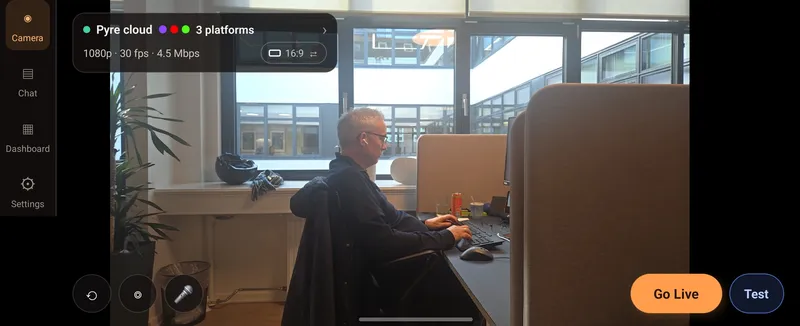
Your platforms are already set up on your account, so there is no RTMP and no stream key to copy on the phone. Walk out the door, check the setup card on the Camera tab and press Go Live. Leave the app and your camera shrinks into a small window, with Mute, Pause and End still at hand.
- Start muted, then talk when you are ready
- A private test stream before the real one
- Landscape 16:9 or vertical 9:16
Pair with a QR code
Pair once. No password on the phone.
Open Add a phone on the Sources page at pyre.stream, then tap Sign in with QR in the app and scan the code. The phone signs in to your account and joins your inputs, already wired to every platform you stream to.
- Or paste the code if the camera will not cooperate
- Use it on its own, or as a camera for your PC
One signal
From your pocket to every platform.
Send one stream up and Pyre's relay in the EU copies it to every platform you turn on. Your phone's upload carries one copy, however many platforms are watching.
- Twitch, YouTube and Kick, plus any other platform with a custom destination
- Starts in seconds, with nothing but the phone
- Or go through Cloud Studio to put your overlays on stream
Continuity
Never cut to black.
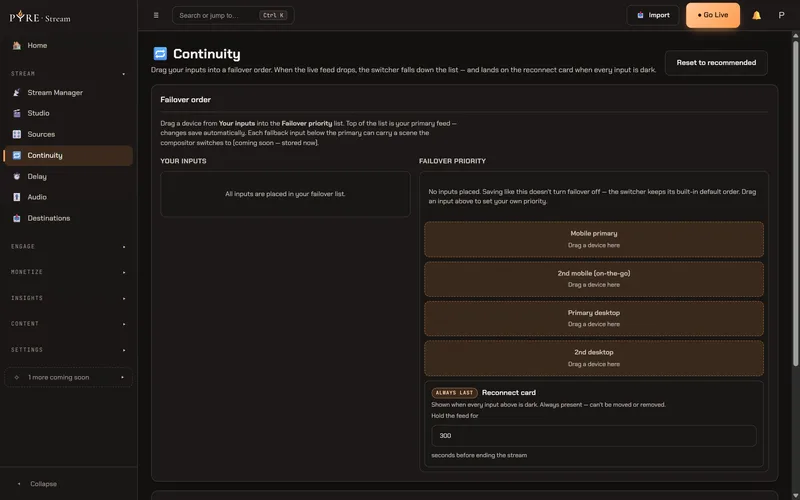
Put your inputs in a failover order: your phone first, then a second phone or your PC. If the live feed drops, Pyre falls down the list, and when every input is dark your viewers see your reconnect card instead of a black screen. You choose how long it holds before the stream ends.
And everything else you'd expect.
All in the same app, under the same sign-in as pyre.stream.
Chat in your pocket
Every platform's chat merged in the Chat tab. Reply, or long press a message to moderate. Turn on chat over the camera to read it while you walk.
Read the guide: Chat in the appYour overlays, no PC
Go live through Cloud Studio and your scenes, alerts and overlays wrap the phone camera on our GPU. It takes about a minute to start, in 16:9.
How Cloud Studio works: Cloud StudioA camera for your PC
Your phone shows up in the Pyre app on your PC as a camera, and Desktop Studio adds your scenes before the stream goes out.
Read the guide: How you go liveTest before anyone sees it
The Test button sits next to Go Live. A real stream to a private player only you can see, for up to 30 minutes.
Read the guide: Test your streamStream health at a glance
Tap the signal pill for viewers per platform, what the phone is sending, dropped frames, the network, phone temperature and battery.
Read the guide: The Camera HUDTravel light
A phone is enough. A GoPro or any other camera that speaks RTMP can join as a custom source with its own stream key.
Read the guide: Custom sources
Your adventure is live. Everywhere at once.
Get it on Google PlayFree during the public beta. After that, theThe cloud is $1 a month plus the bandwidth you send, capped at $6 per platform per month.
The iPhone app is coming soon. All downloads